 undergroundwires
e40b9a3cf5
undergroundwires
e40b9a3cf5
This commit fixes the issue where the Microsoft Advertising app fails to
be removed using the standard script. The problem is due to Microsoft
Advertising SDK (`Microsoft.Advertising.Xaml`) acting as a framework
package. Such packages are automatically installed when a specific
application requires them, and they cannot be individually removed if
there are applications that depend on them. The only way to effectively
remove this library is by uninstalling the dependent applications.

Key findings:

- On Windows 11 22H2, the issue does not arise as the package does not
  exist.
- On Windows 10 22H2, the user is prompted to delete dependent
  applications, like MSN Weather and Mail And Calendar apps. Once these
  apps are removed, the Microsoft Advertising app is automatically
  removed.

Given the nuances and potential for confusion, this script is removed.
This means that the app will no longer be removed directly but will be
handled as part of the removal of its dependencies.
privacy.sexy — Now you have the choice
Enforce privacy & security best-practices on Windows, macOS and Linux, because privacy is sexy 🍑🍆
















Get started
- 🌍️ Online: https://privacy.sexy.
- 🖥️ Offline: Download directly for: Windows, macOS, Linux. For more options, see here.
Online version does not require to run any software on your computer. Offline version has more functions such as running the scripts directly.
💡 You should apply your configuration from time to time (more than once). It would strengthen your privacy and security control because privacy.sexy and its scripts get better and stronger in every new version.
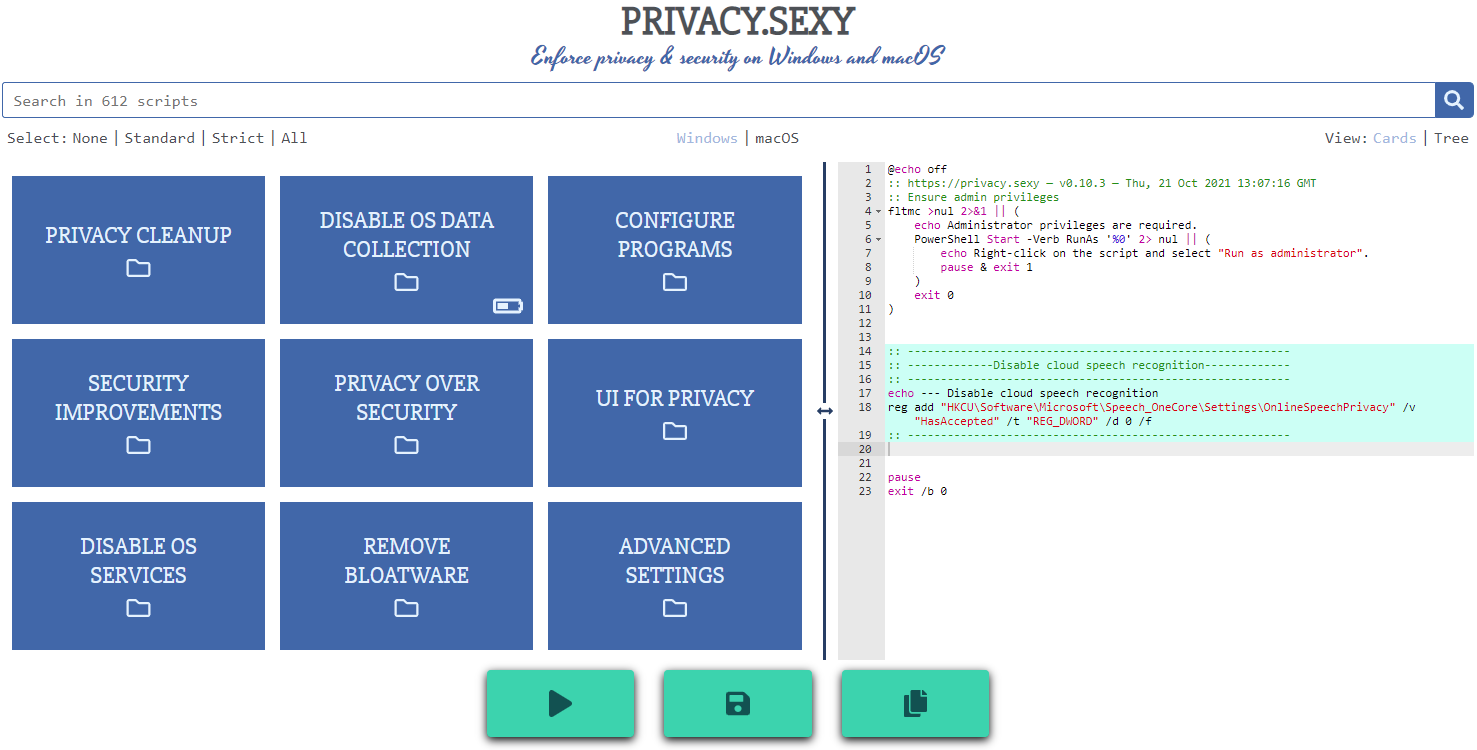
Features
- Rich: Hundreds of scripts that aims to give you control of your data.
- Free: Both free as in "beer" and free as in "speech".
- Transparent. Have full visibility into what the tweaks do as you enable them.
- Reversible. Revert if something feels wrong.
- Accessible. No need to run any compiled software on your computer with web version.
- Open. What you see as code in this repository is what you get. The application itself, its infrastructure and deployments are open-source and automated thanks to bump-everywhere.
- Tested. A lot of tests. Automated and manual. Community-testing and verification. Stability improvements comes before new features.
- Extensible. Effortlessly extend scripts with a custom designed templating language.
- Portable and simple. Every script is independently executable without cross-dependencies.
Support
Sponsor 💕. Consider sponsoring on GitHub Sponsors, or you can donate using other ways such as crypto or a coffee.
Star 🤩. Feel free to give it a star ⭐ .
Contribute 👷. Contributions of any type are welcome. See CONTRIBUTING.md as the starting point. It includes useful information like how to add new scripts.
Additional Install Options
-
Check the releases page for all available versions.
-
Using Scoop package manager on Windows:
  scoop bucket add extras
  scoop install privacy.sexy
Development
Refer to development.md for Docker usage and reading more about setting up your development environment.
Check architecture.md for an overview of design and how different parts and layers work together. You can refer to application.md for a closer look at application layer codebase and presentation.md for code related to GUI layer. collection-files.md explains the YAML files that are the core of the application and templating.md documents how to use templating language in those files. In ci-cd.md, you can read more about the pipelines that automates maintenance tasks and ensures you get what see.
docs/ folder includes all other documentation.
Security
Security is a top priority at privacy.sexy. An extensive commitment to security verification ensures this priority. For any security concerns or vulnerabilities, please consult the Security Policy.