 undergroundwires
d328f08952
undergroundwires
d328f08952
This commit addresses incorrect URL rendering within documentation text
by improving auto-linkified URL labels, handling `+` symbols as spaces,
enhancing readability of encoded path segments and manually updating
some of the documetation.

Key improvements:

- Parse `+` as whitespace in URLs for accurate script labeling.
- Interpret multiple whitespaces as single for robustness.
- Decode path segments for clearer links.
- Refactor markdown renderer.
- Expand unit tests for comprehensive coverage.

Documentation has been updated to fix inline URL references and improve
linkification across several scripts, ensuring more readable and
user-friendly content.

Affected files and documentation sections have been adjusted
accordingly, including script and category names for consistency and
clarity.

Some of the script/category documentation changing fixing URL rendering
includes:

- 'Disable sending information to Customer Experience Improvement
  Program':
  - Fix reference URLs being inlined.
- 'Disable "Secure boot" button in "Windows Security"':
  - Fix rendering issue due to auto-linkification of `markdown-it`.
- 'Clear Internet Explorer DOMStore':
  - Fix rendering issue due to auto-linkification of `markdown-it`.
- 'Disable "Windows Defender Firewall" service':
  - Fix rendering issue due to auto-linkification of `markdown-it`.
  - Convert YAML comments to markdown comments visible by users.
  - Add breaking behavior to script name, changing script name to.
- 'Disable Microsoft Defender Firewall services and drivers':
  - Remove information about breaking behavior to avoid duplication and
    be consistent with the documentation of the rest of the collections.
- Use consistent styling for warning texts starting with `Caution:`.
- Rename 'Remove extensions' category to 'Remove extension apps' for
  consistency with names of its sibling categories.
privacy.sexy — Now you have the choice
Enforce privacy & security best-practices on Windows, macOS and Linux, because privacy is sexy 🍑🍆
















Get started
- 🌍️ Online: https://privacy.sexy.
- 🖥️ Offline: Download directly for: Windows, macOS, Linux. For more options, see here.
Online version does not require to run any software on your computer. Offline version has more functions such as running the scripts directly.
💡 You should apply your configuration from time to time (more than once). It would strengthen your privacy and security control because privacy.sexy and its scripts get better and stronger in every new version.
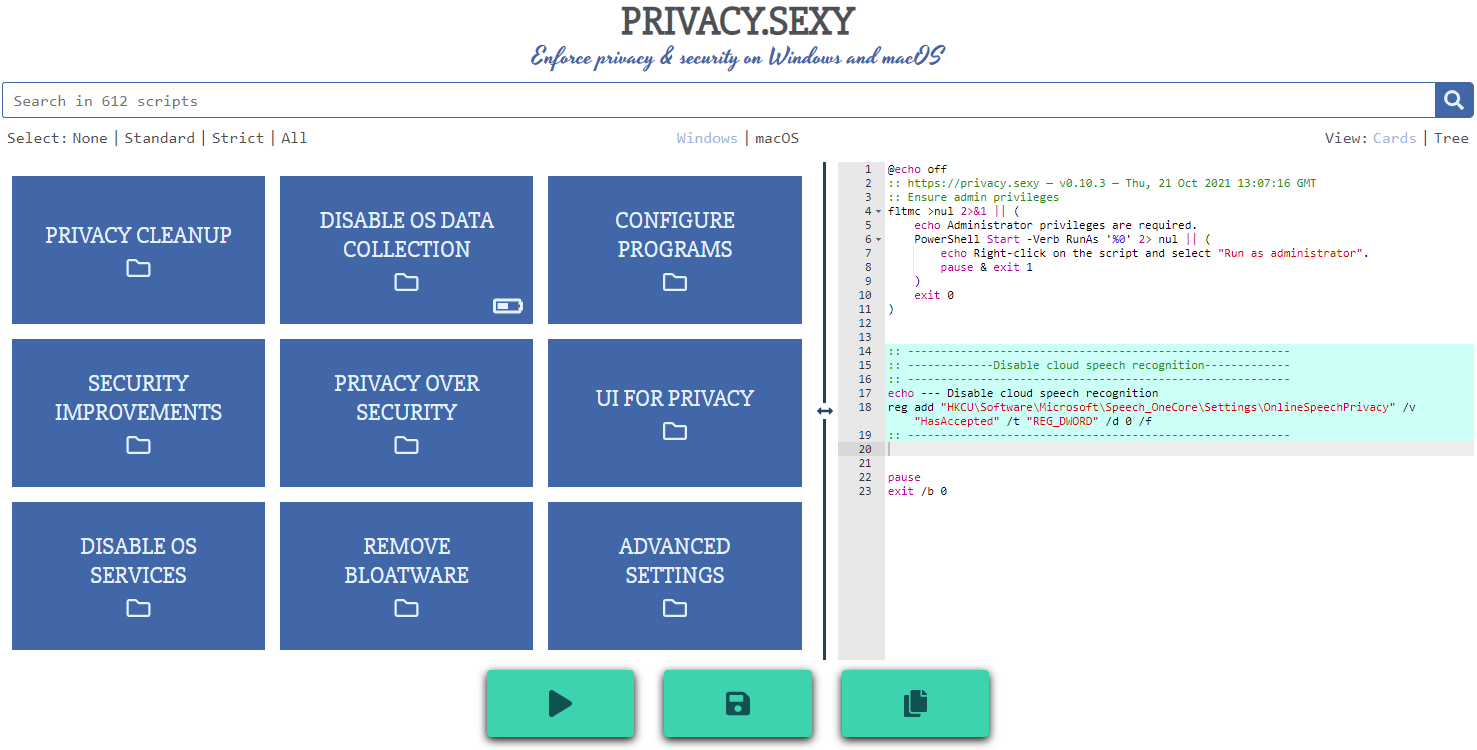
Features
- Rich: Hundreds of scripts that aims to give you control of your data.
- Free: Both free as in "beer" and free as in "speech".
- Transparent. Have full visibility into what the tweaks do as you enable them.
- Reversible. Revert if something feels wrong.
- Accessible. No need to run any compiled software on your computer with web version.
- Open. What you see as code in this repository is what you get. The application itself, its infrastructure and deployments are open-source and automated thanks to bump-everywhere.
- Tested. A lot of tests. Automated and manual. Community-testing and verification. Stability improvements comes before new features.
- Extensible. Effortlessly extend scripts with a custom designed templating language.
- Portable and simple. Every script is independently executable without cross-dependencies.
Support
Sponsor 💕. Consider sponsoring on GitHub Sponsors, or you can donate using other ways such as crypto or a coffee.
Star 🤩. Feel free to give it a star ⭐ .
Contribute 👷. Contributions of any type are welcome. See CONTRIBUTING.md as the starting point. It includes useful information like how to add new scripts.
Additional Install Options
- Check the releases page for all available versions.
- Other unofficial channels (not maintained by privacy.sexy) for Windows include:
-
Scoop 🥄 (latest version):
scoop bucket add extras scoop install privacy.sexy -
winget 🪟 (may be outdated):
winget install -e --id undergroundwires.privacy.sexyWith winget, updates require manual submission; the auto-update feature within privacy.sexy will notify you of new releases post-installation.
-
Development
Refer to development.md for Docker usage and reading more about setting up your development environment.
Check architecture.md for an overview of design and how different parts and layers work together. You can refer to application.md for a closer look at application layer codebase and presentation.md for code related to GUI layer. collection-files.md explains the YAML files that are the core of the application and templating.md documents how to use templating language in those files. In ci-cd.md, you can read more about the pipelines that automates maintenance tasks and ensures you get what see.
docs/ folder includes all other documentation.
Security
Security is a top priority at privacy.sexy. An extensive commitment to security verification ensures this priority. For any security concerns or vulnerabilities, please consult the Security Policy.