 a3f11dff18
This commit prepares for #260, aiming for a hard delete of system apps,
and necessitating a more reliable app reversion method.

- Improve documentation:
  - Add existence status for latest OS versions.
  - Add command for quick future testing.
  - Use archive links.
  - Document categories.
  - Add documentation to list of default apps to give context about why
    the package is here.
  - Fix wrong store URL for Cortana app.
  - Unify documentation of excluded apps.
- Fix categorization:
  - Categorize uninstallation of Windows store apps.
  - Remove "Zune" category (flatten children apps) to be able to align
    with latest branding.
  - Categorize uninstallation of Candy Crush apps.
  - Categorize uninstallation of OOBE apps.
- Rename:
  - "Uninstall Windows store apps" to "Uninstall Windows apps" as these
    apps are not necessarily store apps.
  - "Xbox Game Bar Plugin appcache" to "Xbox Game Bar Plugin".
  - "Groove Music" to "Windows Media Player".
  - "Movies and TV" to "Movies & TV".
  - "Your Phone" to "Phone Link".
  - "Cred Dialog Host" to "Credentials Dialog Host".
  - "Windows Voice Recorder" to "Windows Sound Recorder".
  - "Remote Desktop" to "Microsoft Remote Desktop"
  - "Microsoft To Do" to "Microsoft To Do: Lists, Tasks & Reminders".
  - "People Hub app (People Experience Host)" to "People Hub app".
  - "My Office" to "Microsoft 365 (Office)".
  - "iHeartRadio" to "iHeart: Radio, Music, Podcasts".
  - "Duolingo" to "Duolingo - Language Lessons".
  - "Photoshop Express" to "Adobe Photoshop Express".
  - "Spotify" to "Spotify - Music and Podcasts".
  - "Windows Alarms and Clock" to "Windows Clock".
  - "OOBE Network Captive Port" to "OOBE Network Captive Portal".
  - "Secure Assessment Browser app (breaks Microsoft Intune/Graph)" to
    "Take a Test app".
  - "Windows 10 Family Safety / Parental Controls" > "Microsoft Family
    Safety / Parental control".
  - "People / People Bar App on taskbar (People Experience Host)" > "My
    People"
  - "MSN News" > "Microsoft News"
  - "Minecraft for Windows 10" > "Minecraft for Windows"
  - "Snip & Sketch" > "Snipping Tool"
  - "Bio enrollment" > "Hello setup UI"
- Fix package names for:
  - `AdobeSystemIncorporated.AdobePhotoshop` >
    `AdobeSystemsIncorporated.AdobePhotoshopExpress`
privacy.sexy — Now you have the choice
Enforce privacy & security best-practices on Windows, macOS and Linux, because privacy is sexy 🍑🍆
















Get started
- 🌍️ Online: https://privacy.sexy.
- 🖥️ Offline: Download directly for: Windows, macOS, Linux. For more options, see here.
Online version does not require to run any software on your computer. Offline version has more functions such as running the scripts directly.
💡 You should apply your configuration from time to time (more than once). It would strengthen your privacy and security control because privacy.sexy and its scripts get better and stronger in every new version.
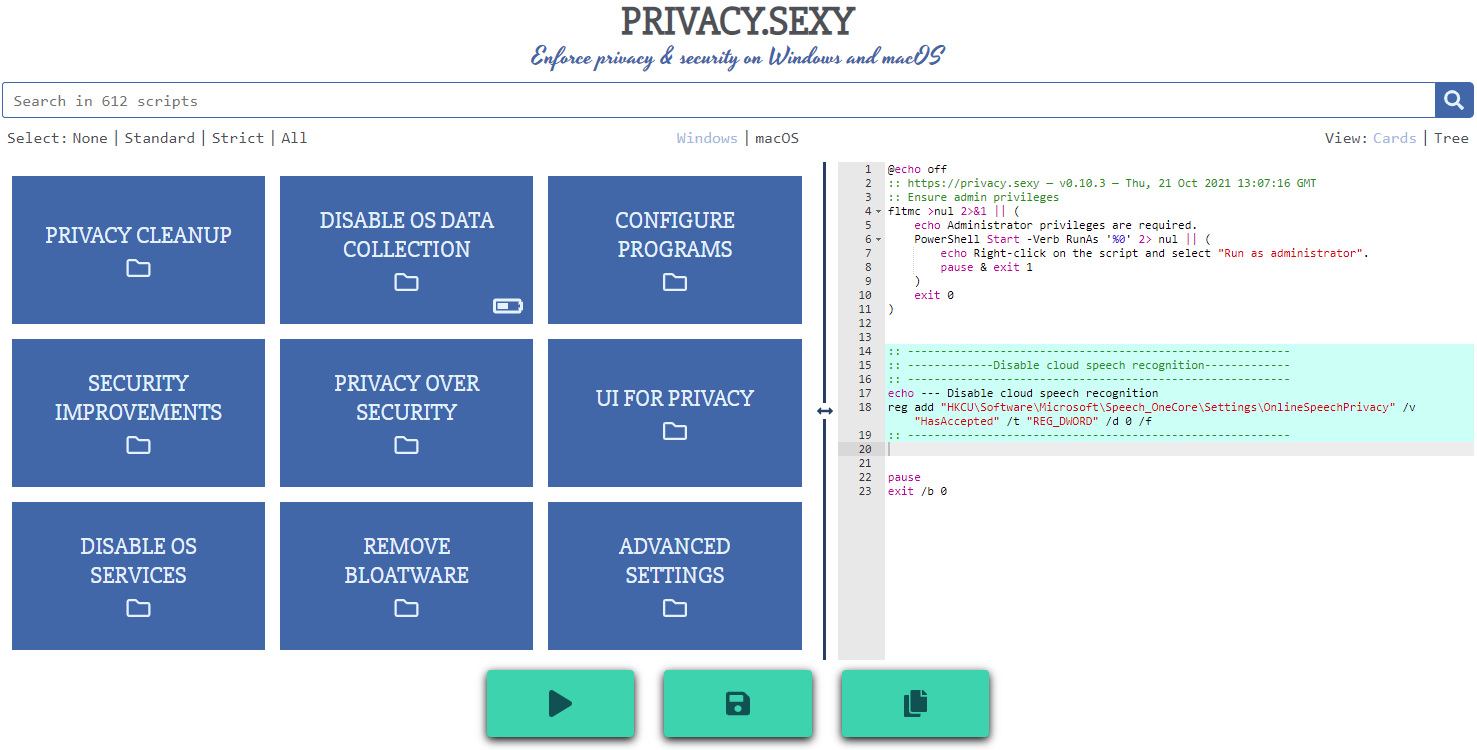
Features
- Rich: Hundreds of scripts that aims to give you control of your data.
- Free: Both free as in "beer" and free as in "speech".
- Transparent. Have full visibility into what the tweaks do as you enable them.
- Reversible. Revert if something feels wrong.
- Accessible. No need to run any compiled software on your computer with web version.
- Open. What you see as code in this repository is what you get. The application itself, its infrastructure and deployments are open-source and automated thanks to bump-everywhere.
- Tested. A lot of tests. Automated and manual. Community-testing and verification. Stability improvements comes before new features.
- Extensible. Effortlessly extend scripts with a custom designed templating language.
- Portable and simple. Every script is independently executable without cross-dependencies.
Support
Sponsor 💕. Consider sponsoring on GitHub Sponsors, or you can donate using other ways such as crypto or a coffee.
Star 🤩. Feel free to give it a star ⭐ .
Contribute 👷. Contributions of any type are welcome. See CONTRIBUTING.md as the starting point. It includes useful information like how to add new scripts.
Additional Install Options
-
Check the releases page for all available versions.
-
Using Scoop package manager on Windows:
  scoop bucket add extras
  scoop install privacy.sexy
Development
Refer to development.md for Docker usage and reading more about setting up your development environment.
Check architecture.md for an overview of design and how different parts and layers work together. You can refer to application.md for a closer look at application layer codebase and presentation.md for code related to GUI layer. collection-files.md explains the YAML files that are the core of the application and templating.md documents how to use templating language in those files. In ci-cd.md, you can read more about the pipelines that automates maintenance tasks and ensures you get what see.
docs/ folder includes all other documentation.
Security
Security is a top priority at privacy.sexy. An extensive commitment to security verification ensures this priority. For any security concerns or vulnerabilities, please consult the Security Policy.