 undergroundwires
6a20d804dc
undergroundwires
6a20d804dc
Refactor filter event handling to a unified event with visitor pattern
to simplify the code, avoid future bugs and provide better test
coverage.

This commit shifts from using separate `filtered` and `filterRemoved`
events to a singular, more expressive `filterChanged` event. The new
approach emits a detailed payload that explicitly indicates the filter
action and the associated filter data. The event object unifies the way
the presentation layer reacts to the events.

Benefits with this approach include:

- Simplifying event listeners by reducing the number of events to
  handle.
- Increasing code clarity and reduces potential for oversight by
  providing explicit action details in the event payload.
- Offering extensibility for future actions without introducing new
  events.
- Providing visitor pattern to handle different kind of events in easy
  and robust manner without code repetition.

Other changes:

- Refactor components handling of events to follow DRY and KISS
  principles better.
- Refactor `UserFilter.spec.ts` to:
  - Make it easier to add new tests.
  - Increase code coverage by running all event-based tests on the
    current property.
privacy.sexy — Now you have the choice
Enforce privacy & security best-practices on Windows, macOS and Linux, because privacy is sexy 🍑🍆













Get started
- 🌍️ Online: https://privacy.sexy.
- 🖥️ Offline: Check releases page, or download directly for: Windows, macOS, Linux.
Online version does not require to run any software on your computer. Offline version has more functions such as running the scripts directly.
💡 You should apply your configuration from time to time (more than once). It would strengthen your privacy and security control because privacy.sexy and its scripts get better and stronger in every new version.
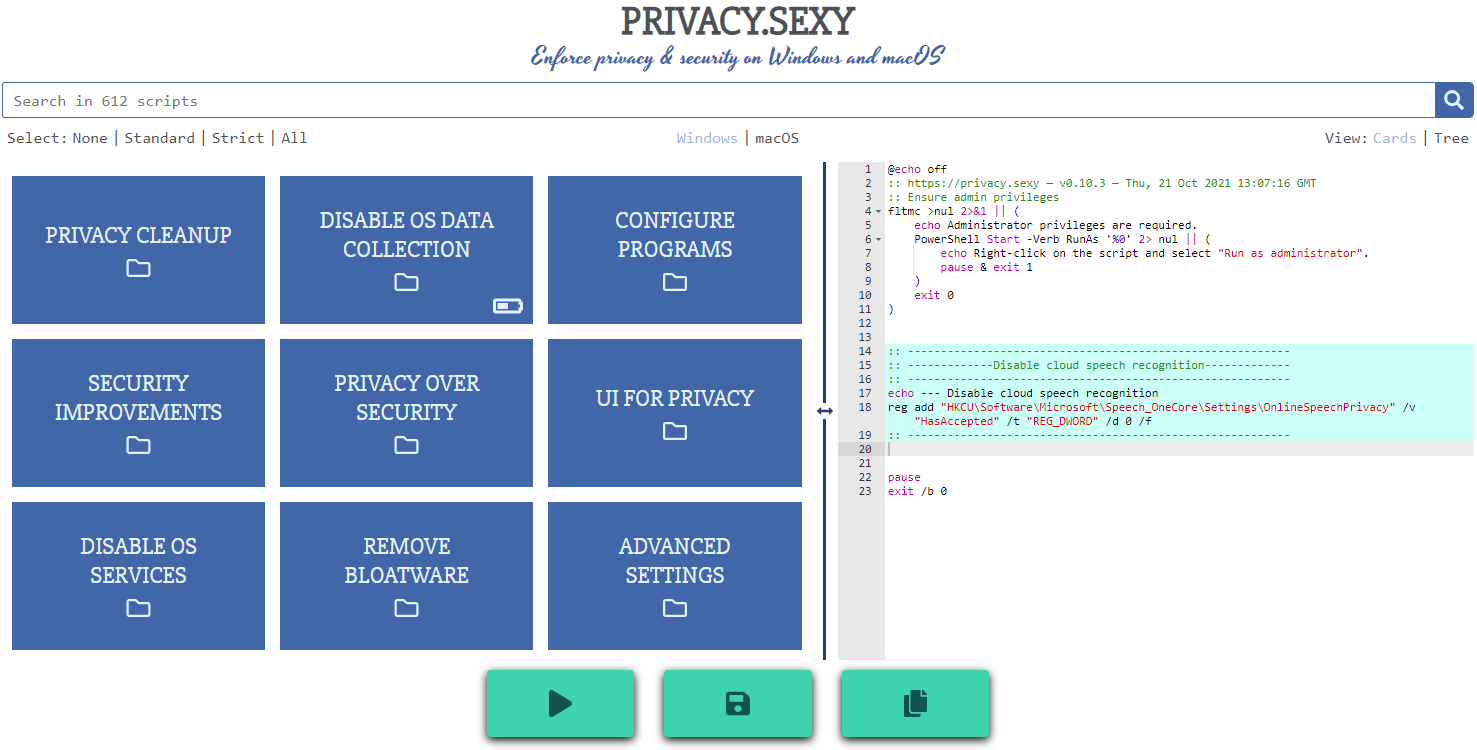
Features
- Rich: Hundreds of scripts that aims to give you control of your data.
- Free: Both free as in "beer" and free as in "speech".
- Transparent. Have full visibility into what the tweaks do as you enable them.
- Reversible. Revert if something feels wrong.
- Accessible. No need to run any compiled software on your computer with web version.
- Open. What you see as code in this repository is what you get. The application itself, its infrastructure and deployments are open-source and automated thanks to bump-everywhere.
- Tested. A lot of tests. Automated and manual. Community-testing and verification. Stability improvements comes before new features.
- Extensible. Effortlessly extend scripts with a custom designed templating language.
- Portable and simple. Every script is independently executable without cross-dependencies.
Support
Sponsor 💕. Consider sponsoring on GitHub Sponsors, or you can donate using other ways such as crypto or a coffee.
Star 🤩. Feel free to give it a star ⭐ .
Contribute 👷. Contributions of any type are welcome. See CONTRIBUTING.md as the starting point. It includes useful information like how to add new scripts.
Development
Refer to development.md for Docker usage and reading more about setting up your development environment.
Check architecture.md for an overview of design and how different parts and layers work together. You can refer to application.md for a closer look at application layer codebase and presentation.md for code related to GUI layer. collection-files.md explains the YAML files that are the core of the application and templating.md documents how to use templating language in those files. In ci-cd.md, you can read more about the pipelines that automates maintenance tasks and ensures you get what see.
docs/ folder includes all other documentation.