 undergroundwires
55c23e9d4c
undergroundwires
55c23e9d4c
This commit enhances the deletion of registry values with improved
robustness and better error handling. One-line `reg.exe` calls where
errors were suppressed are replaced with PowerShell commands that
provide proper error handling. This fixes #381 where wrong `reg delete`
syntax was used.

Key changes:

- Introduce `DeleteRegistryValue` and change registry value deletion
  logic to use it.
- Fix Windows version comparison to ignore patch numbers.
  This ensures versions like `10.0.19045.0` are treated the same as
  `10.0.19045`, resolving issues where scripts were incorrectly skipped
  due to patch number differences in Windows versions.

Other supporting changes:

- Add missing revert codes.
- Include more comments in the generated code.
- Use `-LiteralPath` in all registry deletion commands to prevent
  unintended wildcard expansion when '*' is used in registry paths.
- Remove unused `revertCodeComment` parameter from `DeleteRegistryKey`.

Changed scripts:

- 'Remove "Scan with Microsoft Defender" from context menu':
  - Use `DeleteRegistryKey` in script.
  - Remove problematic `HKCR\*\shellex\ContextMenuHandlers` key deletion.
    This caused errors on both Windows 10 (22H2) and Windows 11 (23H2).
    The wildcard usage made this operation potentially risky, so it's
    replaced with more specific registry cleanup.
  - Remove modifications to `HKCR` values. `HKCR` is a virtual hive,
    and changes to `HKLM` are automatically reflected in `HKCR`.
- Update 'Disable automatic OneDrive installation' to target only
  Windows 1909, improve documentation, and recommend in 'Standard'.
- Simplify 'Disable Diagnostics Hub log collection' by removing VS
  version check, enhance documentation, recommend in 'Standard'.
privacy.sexy — Privacy is sexy
Enforce privacy & security best-practices on Windows, macOS and Linux, because privacy is sexy.
















Get started
- 🌍️ Online: https://privacy.sexy.
- 🖥️ Offline: Download directly for: Windows, macOS, Linux. For more options, see here.
See also:
- Desktop vs. Web Features: Differences and unique aspects of desktop and web versions.
- System Requirements: Hardware and software requirements for the desktop version.
💡 Regularly applying your configuration with privacy.sexy is recommended, especially after each new release and major operating system updates. Each version updates scripts to enhance stability, privacy, and security.
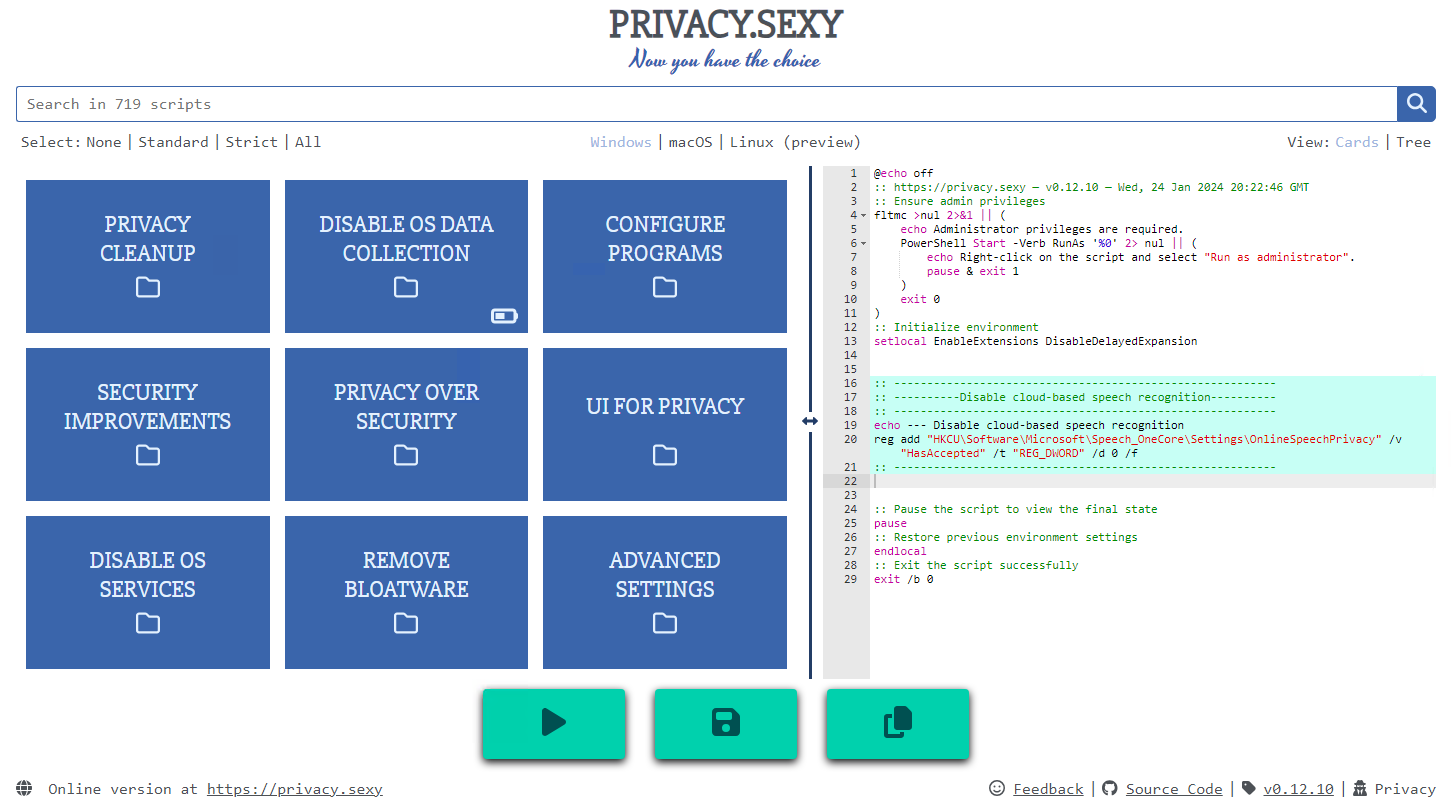
Features
- Rich: Hundreds of scripts that aims to give you control of your data.
- Free: Both free as in "beer" and free as in "speech".
- Transparent. Have full visibility into what the tweaks do as you enable them.
- Reversible. Revert if something feels wrong.
- Accessible. No need to run any compiled software on your computer with web version.
- Secure: Security is a top priority at privacy.sexy with comprehensive safeguards in place.
- Open. What you see as code in this repository is what you get. The application itself, its infrastructure and deployments are open-source and automated thanks to bump-everywhere.
- Tested. A lot of tests. Automated and manual. Community-testing and verification. Stability improvements comes before new features.
- Extensible. Effortlessly extend scripts with a custom designed templating language.
- Portable and simple. Every script is independently executable without cross-dependencies.
Support
Sponsor 💕. Consider sponsoring on GitHub Sponsors, or you can donate using other ways such as crypto or a coffee.
Star 🤩. Feel free to give it a star ⭐ .
Contribute 👷. Contributions of any type are welcome. See CONTRIBUTING.md as the starting point. It includes useful information like how to add new scripts.
Additional Install Options
- Check the releases page for all available versions.
- Other unofficial channels (not maintained by privacy.sexy) for Windows include:
-
Scoop 🥄 (latest version):
scoop bucket add extras scoop install privacy.sexy -
winget 🪟 (may be outdated):
winget install -e --id undergroundwires.privacy.sexyWith winget, updates require manual submission; the auto-update feature within privacy.sexy will notify you of new releases post-installation.
-
Development
Refer to development.md for Docker usage and reading more about setting up your development environment.
Check architecture.md for an overview of design and how different parts and layers work together. You can refer to application.md for a closer look at application layer codebase and presentation.md for code related to GUI layer. collection-files.md explains the YAML files that are the core of the application and templating.md documents how to use templating language in those files. In ci-cd.md, you can read more about the pipelines that automates maintenance tasks and ensures you get what see.
docs/ folder includes all other documentation.
Security
Security is a top priority at privacy.sexy. An extensive commitment to security verification ensures this priority. For any security concerns or vulnerabilities, please consult the Security Policy.
Supporters
